
iOS 15 Notifications: Focus & Summary Features - Apple Update

Enhanced Notification Control Arrives with iOS 15
Apple’s iOS 15 update introduces a significant enhancement to how iPhone users manage notifications. Instead of simply silencing alerts with Do Not Disturb, users will gain the ability to tailor notification preferences according to their current activity and status.
Customizable Focus Modes
The new Focus feature allows for the creation of distinct notification profiles. These profiles can be activated based on activities like driving, working, or sleeping, or through the definition of personalized categories.
The system leverages integrated artificial intelligence to intelligently suggest appropriate Focus settings. For instance, the phone may recommend silencing notifications upon arrival at a fitness center.
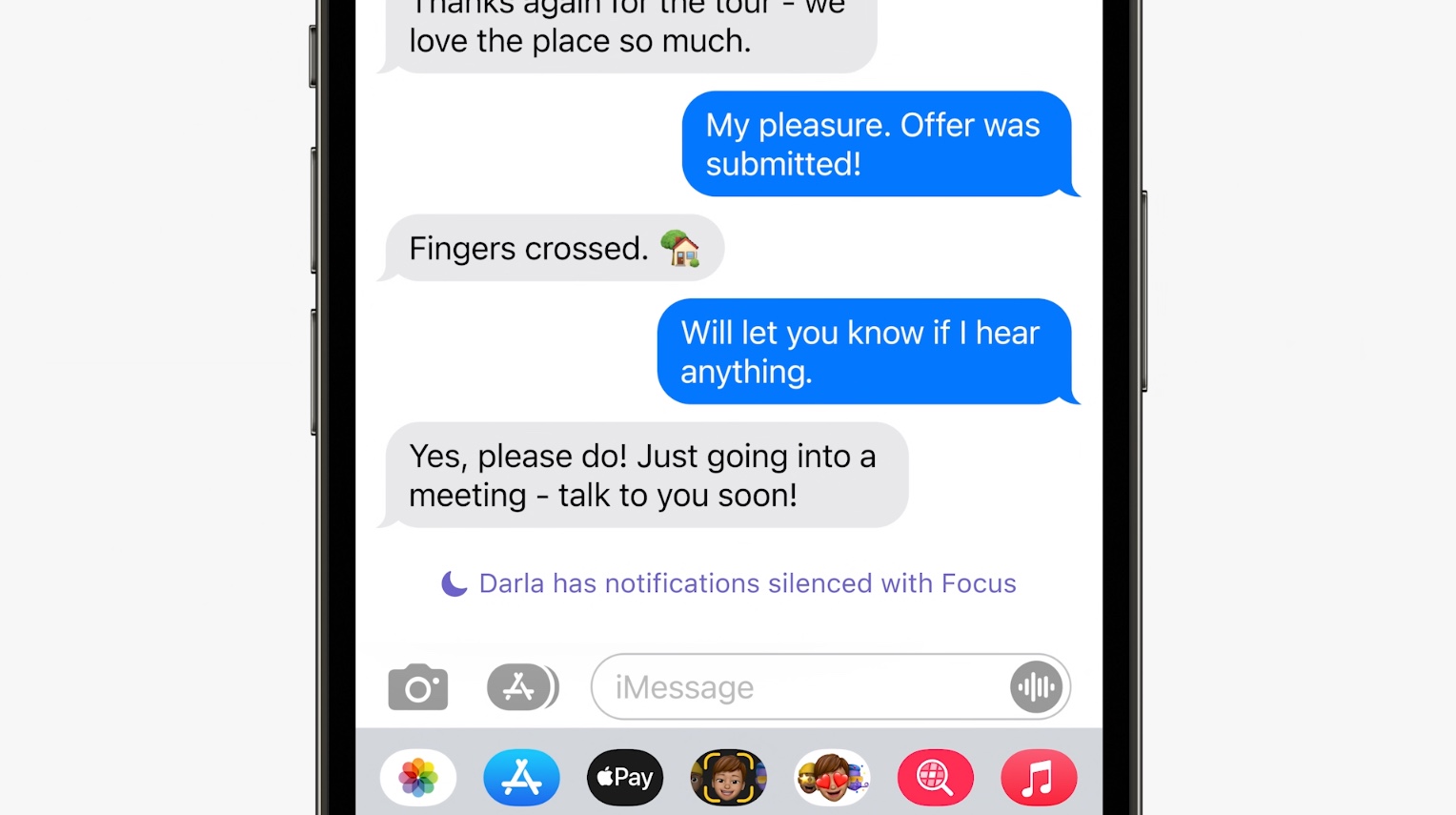
With Focus, users can specify which contacts and applications are permitted to send notifications. It’s possible to designate a dedicated home screen page aligned with the current focus, organizing apps and widgets to minimize distractions.
These Focus settings will synchronize across all of a user’s Apple devices.
New APIs for Third-Party Integration
Focus settings can be triggered by time, location, or calendar events. Apple is introducing two new APIs to support this functionality. The Status API will inform apps whether a Focus mode is active. A Time Sensitive API will allow apps to deliver critical notifications that can bypass Focus settings when necessary.
A new notification classification system, ranging from low to critical, is also being implemented. Apps that abuse this system risk being disabled by users.
Notifications themselves are receiving a visual refresh, featuring contact photos and larger app icons for improved identification.
 Notification Summary and Do Not Disturb Enhancements
Apple is also introducing Notification Summary, a feature that bundles and prioritizes incoming notifications based on the time of day. Users can schedule these summaries for delivery at preferred times, such as morning or evening.
The system utilizes device intelligence to arrange the summary, prioritizing important notifications.
Do Not Disturb is now integrated directly into iMessage. When activated, your status is automatically displayed to contacts, informing them you are unavailable. A reminder is presented when initiating conversations with users who have Do Not Disturb enabled, while still allowing for urgent messages to be delivered.
Echoes of Past Innovations
These features, centered around personalizing the phone experience, bear resemblance to smart launchers popular on Android, such as Aviate and EverythingMe. These launchers customized devices based on user activity and time of day. However, these apps did not gain traction on iOS due to Apple’s restrictions on deep system integration.
Apple has recently been increasing personalization options on iPhone, including widgets and Siri Suggestions, demonstrating a shift towards a more user-centric experience.
Related Posts

Peripheral Labs: Self-Driving Car Sensors Enhance Sports Fan Experience

YouTube Disputes Billboard Music Charts Data Usage

Oscars to Stream Exclusively on YouTube Starting in 2029

Warner Bros. Discovery Rejects Paramount Bid, Calls Offer 'Illusory'

WikiFlix: Netflix as it Might Have Been in 1923
